
The Student Engagement tab shows how students have interacted with specific assignments:
How to access student engagement information:
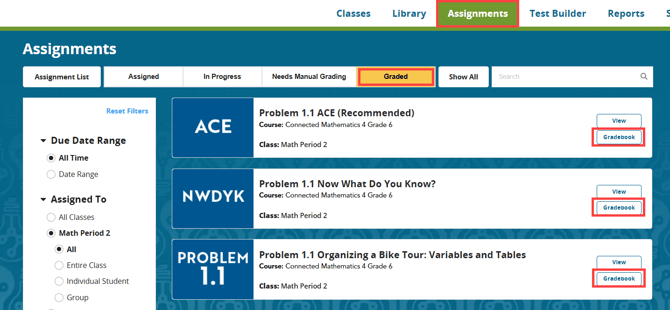
1. Click on the "Assignments" menu at the top, and then click "Graded".
2. Click "Gradebook" for the desired assignment.
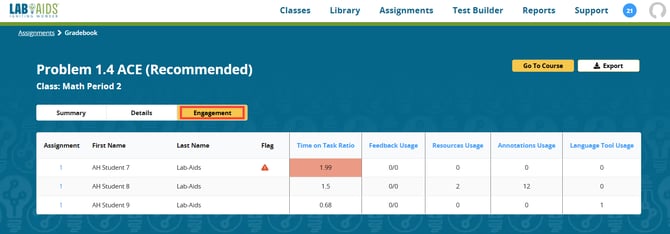
3. Click the "Engagement" tab.
-
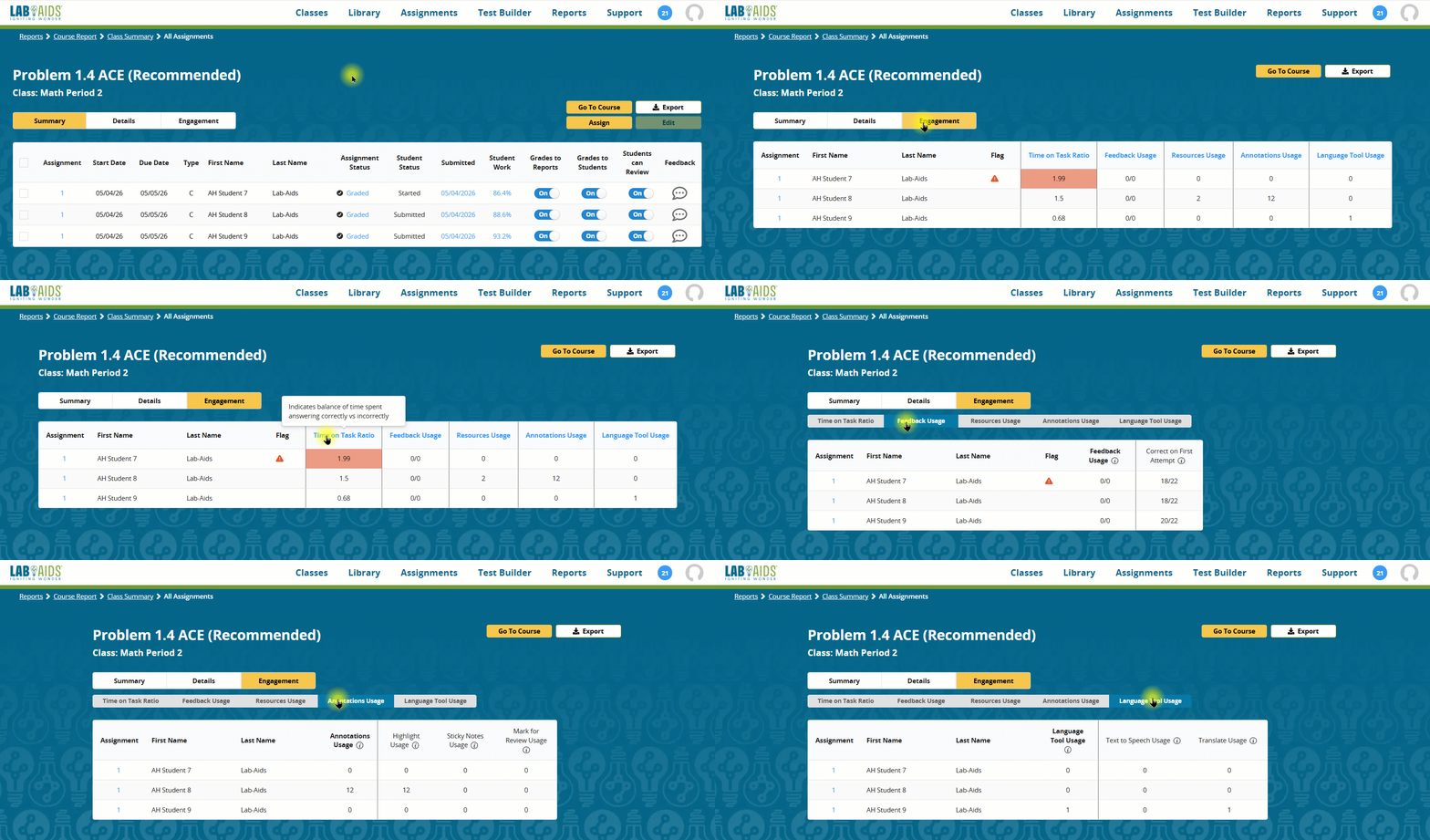
Hover over each heading for a description
- Click on each heading for more detail on each metric
Student Engagement Descriptions:
-
Time on Task Ratio: Indicates balance of time spent answering correctly vs incorrectly
-
Feedback Usage: Number of uses of blue feedback buttons out of total available
-
Resources Usage: Number of uses of tools or resources (such as Glossary, Calculator, Graph Paper, etc.)
-
Annotations Usage: Number of uses of Strikethrough, Highlight, Sticky Notes, or Mark for Review
-
Language Tool Usage: Number of uses of Translate and Speak tools
-
Flag: Areas of concern. For example, “Student is likely rushing; student is working quickly and has low performance”