
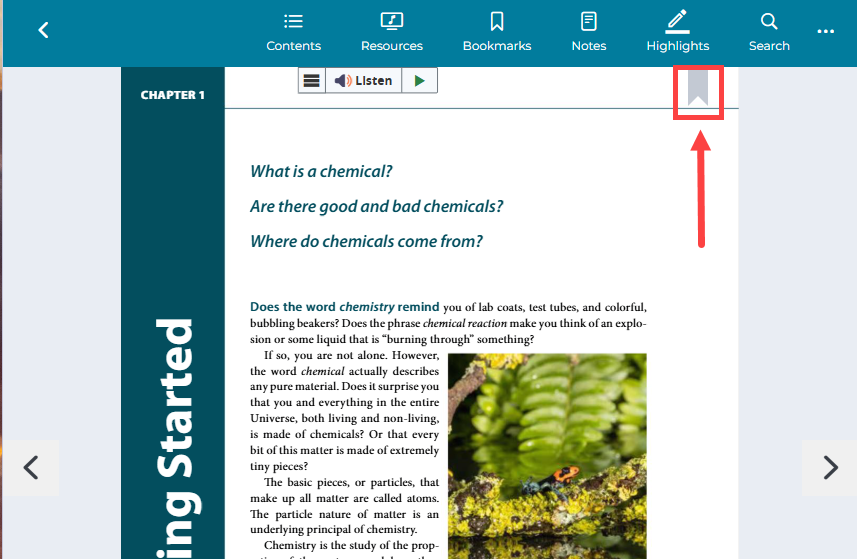
1. From the page you wish to bookmark, click the "bookmark" icon in the top right of the page.
2. To view all bookmarks, click the "bookmarks" icon on the top menu. You can sort bookmarks by date entered or by page number.
1. From the page you wish to bookmark, click the "bookmark" icon in the top right of the page.
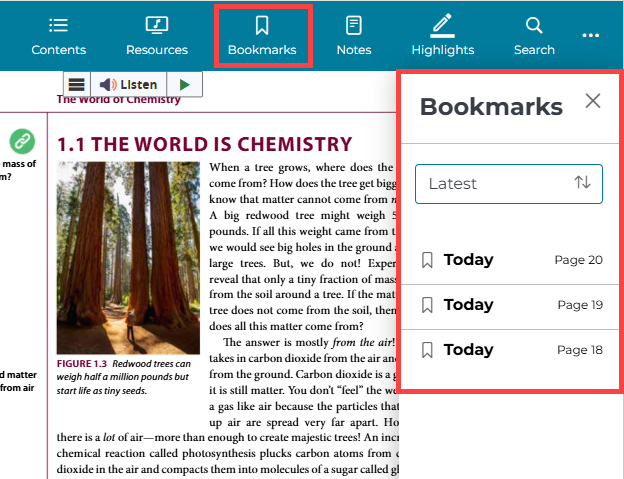
2. To view all bookmarks, click the "bookmarks" icon on the top menu. You can sort bookmarks by date entered or by page number.