
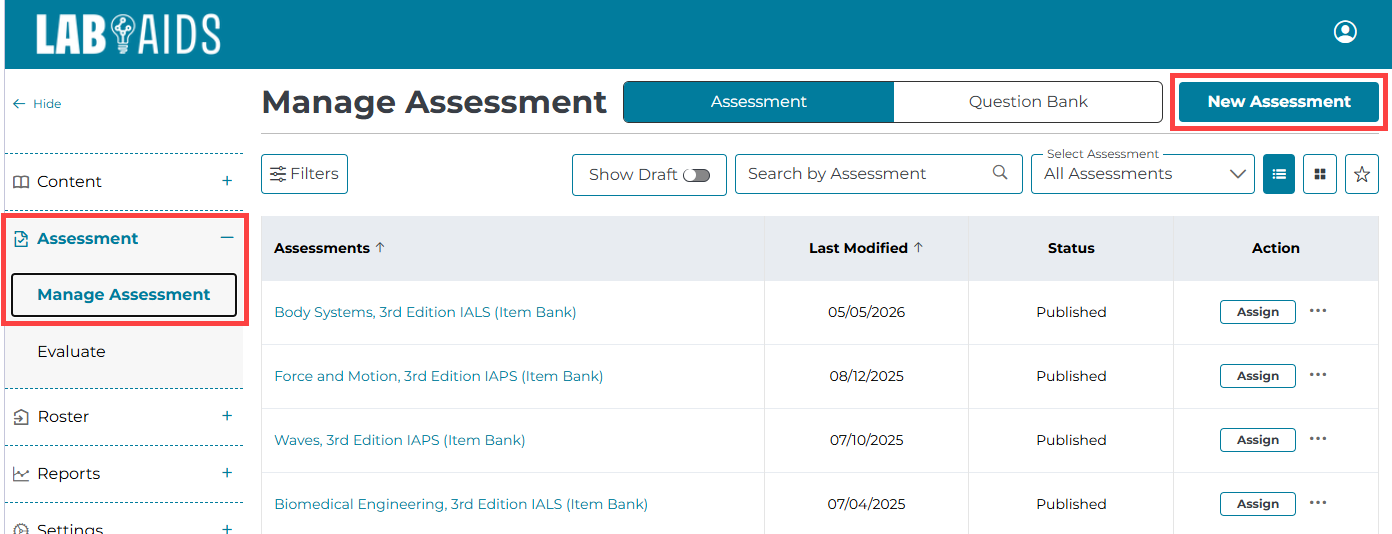
1. After logging into your teacher account, select Assessment >> Manage Assessment > from the left-hand side menu. Then, select New Assessment from the top right corner.
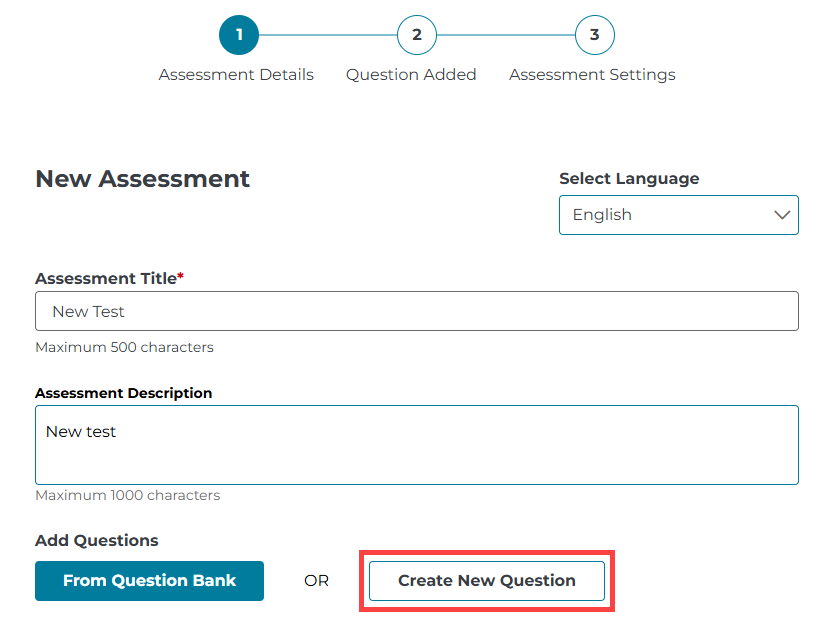
2. Enter a title and description of your new test. Then, click "Create New Question".
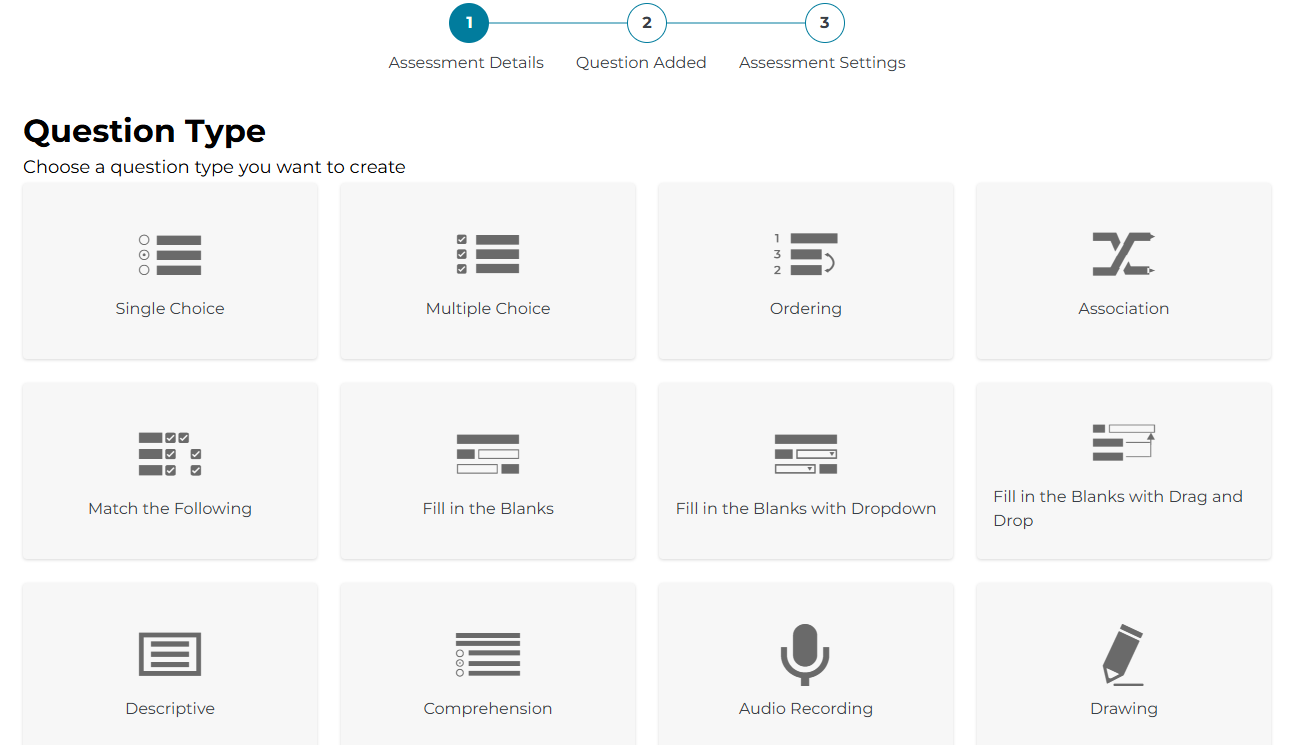
3. Then, select the question type from the available options. "Single Choice" and "Descriptive" are frequently used.
3. After entering the first question, continue adding more questions of your choice.
4. Be sure to save your test periodically, then select Publish when you are finished.