
When switching to a new rostering method, teachers will be given new accounts. Data from their old accounts will not be preserved, and the old accounts will eventually be deactivated. If teachers have any data to preserve from their old accounts, they will need to do that manually. Teachers may not have any data to retrieve.
Notes, highlights, bookmarks:
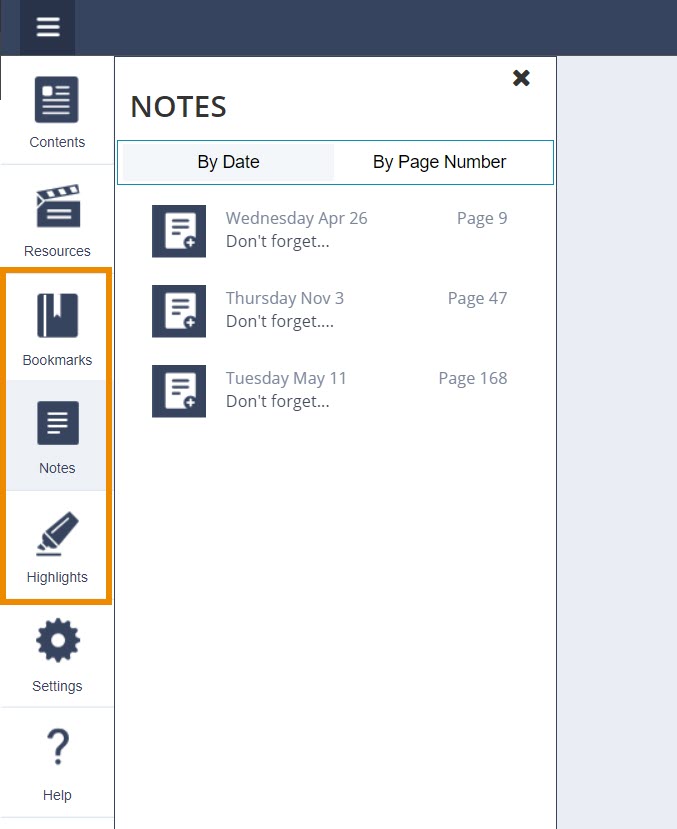
Portal 1.0 / ePubs: Open each book and click the Bookmarks, Notes, and Highlights icons on the left-hand menu. A list of any Bookmarks, Notes, or Highlights within that book will display. Manually document any data to be saved.
Portal 2.0: There are no highlights, notes, or bookmarks to export from Portal 2.0 books at this time.
Assessments:
How to export a test in QTI format and import into Schoology or Canvas
How to view test/assessment reports