
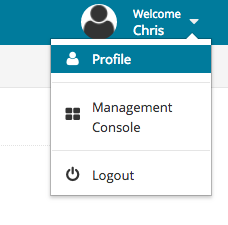
When your admin or teacher account is created, a password is usually chosen for your account. It is strongly recommended that you change the password on your account for security reasons. After logging into your account, click the drop-down menu in the top-right corner (next to "Welcome") and click "Profile." From the new menu, you can change the password for your account.
Note: if you are accessing your Lab-Aids Portal account from an integration (Clever, Classlink, Google Classroom, LTI 1.3, etc.), you cannot change your password.